A strong Freelance Portfolio is the foundation of getting high-paying clients in 2026. Whether you’re a beginner or an experienced freelancer, your freelance portfolio determines how clients perceive your skills, expertise, and professionalism. In this guide, you’ll learn how to build a freelance portfolio that attracts clients and converts visitors into paying projects.
In freelancing, your strong portfolio is your proof.
Clients don’t care about what you say you can do. They care about what you’ve already done.
Whether you’re applying on Upwork, creating gigs on Fiverr, or pitching clients directly — your freelance portfolio is the deciding factor.
The good news?
You don’t need 10 years of experience to build a strong freelance portfolio. Even beginners can create one that attracts clients.
In this step-by-step guide, you’ll learn exactly how to build a freelance portfolio that gets you hired.

1️⃣ Understand What Clients Actually Want
Before building your portfolio, understand this:
Clients are not buying your skills.
They are buying solutions to their problems.
So instead of saying:
“I design logos.”
Say:
“I create brand-focused logos that increase brand recognition.”
What Clients Look For:
- Clear results
- Real examples
- Problem-solving ability
- Professional presentation
Your portfolio should answer this question:
👉 “Why should I hire you instead of someone else?”
2️⃣ Choose Your Niche (Don’t Be Generic)
One of the biggest mistakes beginners make is being too general.
Instead of:
- Graphic Designer
Be:
- Logo Designer for Startups
Instead of:
- Content Writer
Be:
- SEO Blog Writer for Tech Websites
When your niche is clear, your portfolio becomes stronger and more focused.
Why Niche Matters:
- Less competition
- Higher perceived expertise
- Better-paying clients
- Easier marketing
3️⃣ Create Sample Projects (Even If You Have No Clients)
No clients yet? No problem.
You can create spec projects (self-created work).
Example:
If you’re a web designer:
- Redesign a popular website homepage
- Create a demo landing page
you’re a content writer:
- Write SEO blog samples
- Create product descriptions
Or you’re a social media manager:
- Design sample Instagram posts
- Create a 30-day content calendar
Quality matters more than quantity.
Start with 3–5 strong samples.
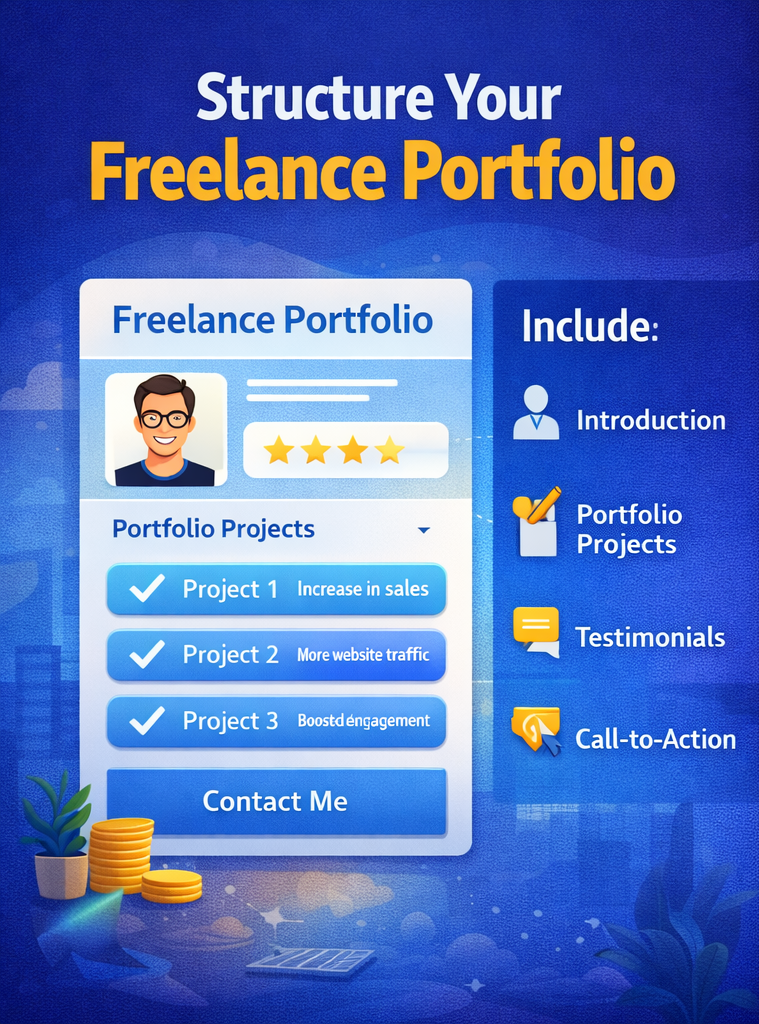
4️⃣ Structure Your Freelance Portfolio Properly
Your freelance portfolio should include:
🔹 1. Professional Introduction
- Who you are
- What you specialize in
- Who you help
Example:
“I help startups build high-converting websites that generate leads.”
🔹 2. Portfolio Projects Section
For each project include:
- Project title
- Client problem
- Your solution
- Tools used
- Results (if available)
Instead of just showing images, explain your thinking.
🔹 3. Testimonials (Very Important)
Social proof increases trust instantly.
If you’re a beginner:
- Ask friends
- Offer free work in exchange for testimonials
- Collect LinkedIn recommendations
🔹 4. Clear Call-to-Action (CTA)
At the end of your portfolio:
“Let’s work together.”
“Contact me for your next project.”
“Available for freelance projects.”
Make it easy to contact you.
5️⃣ Where to Host Your Freelance Portfolio
You have multiple options:
🔹 Portfolio Website
- WordPress
- Webflow
- Wix
Best for long-term branding.
🔹 Platform-Based Portfolio
On platforms like:
- Upwork
- Fiverr
Optimize your profile portfolio section with:
- Keywords
- Clear descriptions
- Results-focused writing
🔹 Google Drive / PDF Portfolio
For pitching clients directly, create a clean PDF portfolio.
Keep it:
- 5–10 pages
- Minimal
- Results-focused
6️⃣ Optimize Your Freelance Portfolio for SEO
If you have a website portfolio, optimize it.
Use Keywords Like:
- Freelance graphic designer
- SEO content writer
- Web developer for startups
- Freelance portfolio examples
On-Page SEO Tips:
- Use H1, H2 headings
- Add meta description
- Optimize images
- Fast loading speed
- Mobile responsive
This helps your portfolio rank on Google.
7️⃣ Show Results, Not Just Work to Make a Freelance Portfolio
This is where most freelancers fail.
Instead of saying:
“Designed a website.”
Say:
“Designed a landing page that increased conversions by 35%.”
Results make you valuable.
If you don’t have real results yet:
- Mention expected goals
- Explain strategy
- Show metrics from practice projects
8️⃣ Keep Updating Your Portfolio to make it Strong
Your portfolio is not one-time work.
Update it:
- Every 2–3 months
- After every major project
- When you change niche
Remove weak projects.
Only showcase your best work.
9️⃣ Common Freelance Portfolio Mistakes to Avoid
❌ Too many projects
❌ No explanation
❌ No niche clarity
❌ Poor design
❌ No contact information
❌ Copying others
Remember: Clean > Fancy.
10️⃣ Final Thoughts on Building a Strong Freelance Portfolio
A strong freelance portfolio is your most powerful marketing tool.
It builds:
- Trust
- Authority
- Credibility
- Higher pricing power
Even if you’re starting from zero, you can create a portfolio that attracts clients.
Focus on:
- Niche clarity
- Strong samples
- Clear explanations
- Results-driven writing
- Professional presentation
Your portfolio speaks before you do.
Make it powerful.
🌐 Best Websites to Create Strong Freelance Portfolio
You can create your freelance portfolio using platforms like WordPress, Wix, and Webflow for full website control. Designers often use Behance, while developers showcase projects on GitHub. Choose the platform that best fits your skills and niche.
🔗 Recommended Reading
If you haven’t already, check out our detailed guide on Top 5 Freelancing Websites for Beginners to find the best platform to showcase your new portfolio and start landing clients faster.
👉 Read it here: [Top 5 Freelancing Websites for Beginners ]